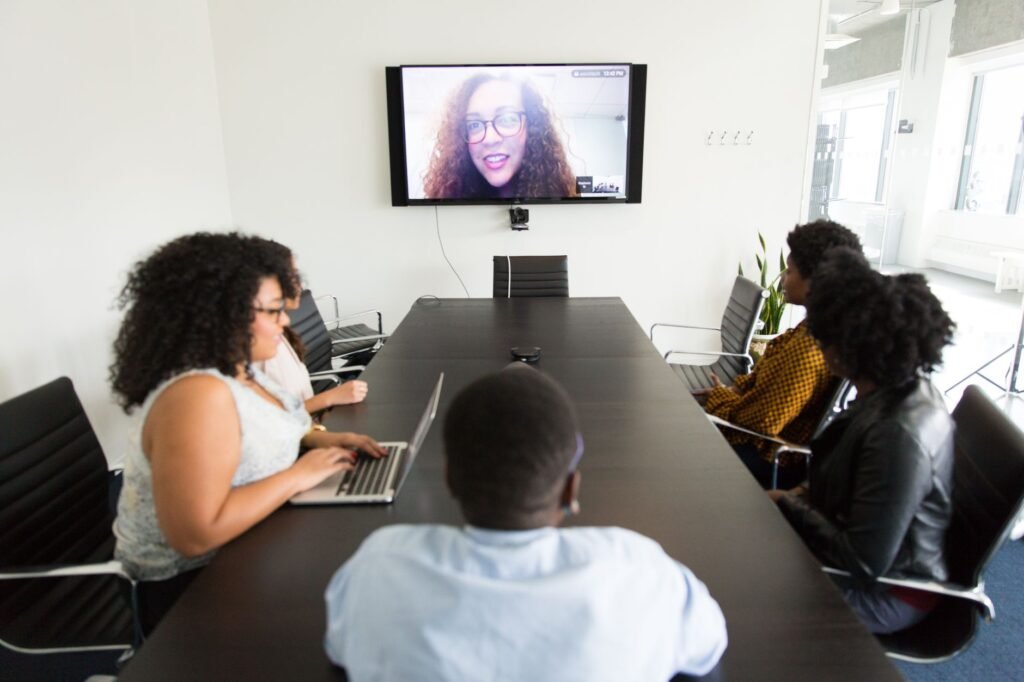
Remote and distributed teams have a specific problem with AI meeting assistants: you need tools that work across time zones, integrate cleanly with async workflows, and don’t require everyone in the call to be in the same tech stack. We tested six of the most popular AI meeting assistants specifically for remote team use cases. Here’s what we found.
What Remote Teams Actually Need
The evaluation criteria for remote teams differs from in-person or hybrid setups. You need:
- Reliable bot attendance — the tool joins calls without requiring everyone to install an app
- Strong async features — video highlights, searchable transcripts, shareable summaries that don’t require joining a call
- Timezone-agnostic delivery — summaries delivered via Slack/email automatically, not requiring synchronous review
- Multilingual support (if you have a global team)
- Integrations with your async stack — Notion, Confluence, Linear, Slack
1. Fathom — Best Free Option for Remote Teams
Fathom is our pick for remote teams on a budget. The free plan is genuinely unlimited — unlimited recordings, unlimited summaries, unlimited storage. No paywalled features that suddenly matter when you’re trying to share a summary with someone who wasn’t on the call.
For remote teams, the Slack integration is the key feature: Fathom automatically posts a formatted meeting summary to a designated channel after every call. Your team members in other time zones wake up to a clean recap without needing to ask. The AI-generated action items are accurate and correctly attributed to speakers roughly 85% of the time in our tests.
Best for: Small distributed teams, startups, individuals who want zero cost with solid core functionality.
2. Fireflies.ai — Best for Large Remote Teams and Search
Fireflies.ai is the strongest choice for remote teams that have lots of meetings and need to search across them. The Smart Search feature lets you query your entire call library — “what did the client say about budget in the last three calls” — which becomes genuinely powerful when your team is distributed and not everyone attends every meeting.
Fireflies also has a strong channel notification system, a topic tracker (flag recurring themes across calls), and a soundbite feature that lets you clip and share moments from recordings. For distributed teams that treat meeting records as institutional knowledge, this is the most complete solution.
Best for: Teams with 10+ members, sales organizations, companies that use meetings as a knowledge base.
3. tl;dv — Best for Async Video Highlights
tl;dv (“too long; didn’t view”) is built specifically around the async use case. Its core feature is timestamped video highlights — you tag moments during or after a call, and tl;dv creates a shareable highlight reel. This is genuinely different from just sharing a transcript link.
For remote teams where not everyone can attend every call, tl;dv’s highlights let the meeting content travel. Instead of a 60-minute recording, stakeholders get a 4-minute highlight with the 3 decisions that matter. The Notion integration pushes notes automatically. The Slack integration delivers summaries without manual work.
Best for: Teams where meeting video needs to be consumed asynchronously; product and design teams; teams that share recordings externally.
4. Notta — Best for Multilingual Remote Teams
Notta supports over 50 languages and can translate transcripts in real time. For global teams where English isn’t everyone’s first language, this is a significant differentiator. The transcription accuracy in non-English languages consistently outperforms competitors in our tests — particularly for Mandarin, Japanese, Spanish, and German.
Notta also works well for import — you can upload recordings from other tools and get Notta’s transcription quality without switching your primary tool. For remote teams in Asia-Pacific or Europe, it’s worth serious consideration.
Best for: Global teams with non-English speakers; companies recording in multiple languages; teams that need translation as a core feature.
5. Krisp — Best for Noise Cancellation in Remote Environments
Krisp solves a different problem than the other tools here. It’s primarily a noise cancellation layer — it removes background sound from your audio feed in real time. For remote team members working from home (kids, traffic, construction), this directly improves call quality and therefore transcription accuracy for tools recording the audio.
Krisp also has its own meeting transcription and note-taking features, but its primary differentiation is the noise cancellation. If your team struggles with audio quality on calls, Krisp running alongside another tool (like Fathom or Fireflies) is a strong combination.
Best for: Remote workers in noisy environments; teams where audio quality is inconsistent; use alongside another primary meeting assistant.
6. MeetGeek — Best for Meeting Accountability and Analytics
MeetGeek distinguishes itself with meeting effectiveness analytics — participation metrics, meeting frequency reports, and action item completion tracking. For remote team managers who worry about meeting culture drift (too many meetings, unbalanced participation, decisions without follow-through), MeetGeek surfaces data that helps you course-correct.
The transcription is solid, the summaries are clean, and the Slack/Notion integrations work reliably. But the analytics layer is what makes it worth considering specifically for remote teams, where the “are our meetings actually working?” question is harder to answer than when you’re in the same office.
Best for: Engineering or product managers tracking async alignment; teams running retrospectives on meeting effectiveness; organizations trying to reduce meeting bloat.
Quick Comparison Table
Fathom: Best free plan, Slack delivery, unlimited recordings — free tier is excellent
Fireflies.ai: Best search, topic tracking, large team features — starts at $18/month
tl;dv: Best async video highlights, Notion/Slack integration — free plan available
Notta: Best multilingual support (50+ languages) — starts at $13.99/month
Krisp: Best noise cancellation — free tier for limited minutes
MeetGeek: Best meeting analytics and accountability — starts at $15/month
Frequently Asked Questions
Which AI meeting assistant works best for fully remote teams?
Fathom for small teams on a budget. Fireflies.ai for larger teams that need searchable meeting archives. tl;dv if async video highlights are your priority.
Do AI meeting assistants work for remote team members who join by phone?
Most AI meeting assistants join as a bot via video call link and transcribe what they hear. Phone dial-in participants are transcribed, but speaker identification is less reliable without video. Fireflies and Otter.ai handle phone participants most gracefully.
What’s the best free AI meeting assistant for remote teams?
Fathom’s free plan is the clear winner — unlimited recordings and summaries with no catch. tl;dv also has a useful free tier with video highlights.
Do AI meeting assistants work across different video platforms?
The major tools (Fathom, Fireflies, tl;dv, MeetGeek) all support Zoom, Google Meet, and Microsoft Teams. Notta also covers these. Most don’t support Webex or BlueJeans natively.
How do AI meeting assistants handle time zone differences for remote teams?
Most deliver summaries via Slack or email within 2–5 minutes of the call ending, so team members in other time zones see them when they come online. Fireflies has a “channel” feature that posts to designated Slack channels automatically.
Bottom Line
For most remote teams, the choice comes down to budget and async style:
- Zero budget: Fathom (unlimited free, Slack delivery)
- Need meeting search: Fireflies.ai
- Async video highlights: tl;dv
- Global/multilingual team: Notta
- Noisy home environments: Krisp + any of the above
- Meeting culture analytics: MeetGeek
If your priority is understanding how your meetings are going — not just what was said — Read.ai is also worth a look. Its engagement metrics and talk-time analytics go beyond what most AI meeting assistants offer.